
AI Search Visibility Is Now Measurable
Google Search is changing how customers discover businesses online. AI Overviews and AI Mode can provide answers directly within search results while linking to relevant websites.
For business owners, this creates an important question: Is your website appearing in Google’s AI-generated search experiences?
In June 2026, Google introduced dedicated generative AI performance reports in Search Console. By August 31, these insights had rolled out worldwide.
The Google Search Console AI reports 2026 help website owners understand where their content appears in AI-powered search experiences.
These reports focus primarily on visibility rather than providing a complete picture of AI-driven traffic and conversions.
This guide explains how to access the reports, understand their metrics, and use the findings to improve your website’s search strategy.
1. What Are Google Search Console AI Reports?
Google’s generative AI performance reports provide information about how website pages appear in supported AI search features.
The reports cover AI Overviews and AI Mode in Google Search, with separate reporting for generative AI features in Discover.
Instead of relying entirely on traditional keyword rankings, businesses can review impressions generated when their pages appear within AI experiences.
The reports provide information about:
- AI search impressions.
- Pages appearing in AI-generated results.
- Countries where those impressions occur.
- Device types used by searchers.
- Changes in visibility over time.
These insights can help businesses identify which pages Google is surfacing in AI-powered search.
However, appearing in an AI response does not guarantee a website visit or customer enquiry.
Businesses using professional SEO services should evaluate AI visibility alongside traditional organic search performance.
2. How to Find AI Reports in Google Search Console
Website owners can access the reporting tools through their Google Search Console property.
Follow these steps:
- Sign in to Google Search Console.
- Select the correct website property.
- Open the Performance section.
- Look for the generative AI performance reports for Search or Discover.
- Select a date range and review available impression data.
The Search report includes visibility from supported features such as AI Overviews and AI Mode.
If you cannot find the report, your website may not have received enough impressions in these features.
A missing report does not automatically mean your website has a technical SEO problem.
Google’s documentation also explains that sites excluded from generative AI features may not receive corresponding visibility.
3. Understanding AI Impressions and Page Visibility
An AI impression is recorded when a link to your website appears to a user within a supported generative AI search feature.
For example, if Google AI Mode displays a link to your business article, that appearance may contribute to your reported impressions.
Website owners can review which pages receive impressions and whether visibility changes over time.
A service page may perform differently from an informational blog article.
Similarly, impressions can vary by country, device, and search behavior.
An increase in AI impressions suggests greater visibility in supported features, but it does not necessarily mean more customers are visiting your website.
Businesses should compare AI impressions with traditional Search Console performance, analytics, and enquiry data.
4. AI Impressions vs. Traditional Search Clicks
One of the most important differences between AI reporting and traditional SEO reporting is the available data.
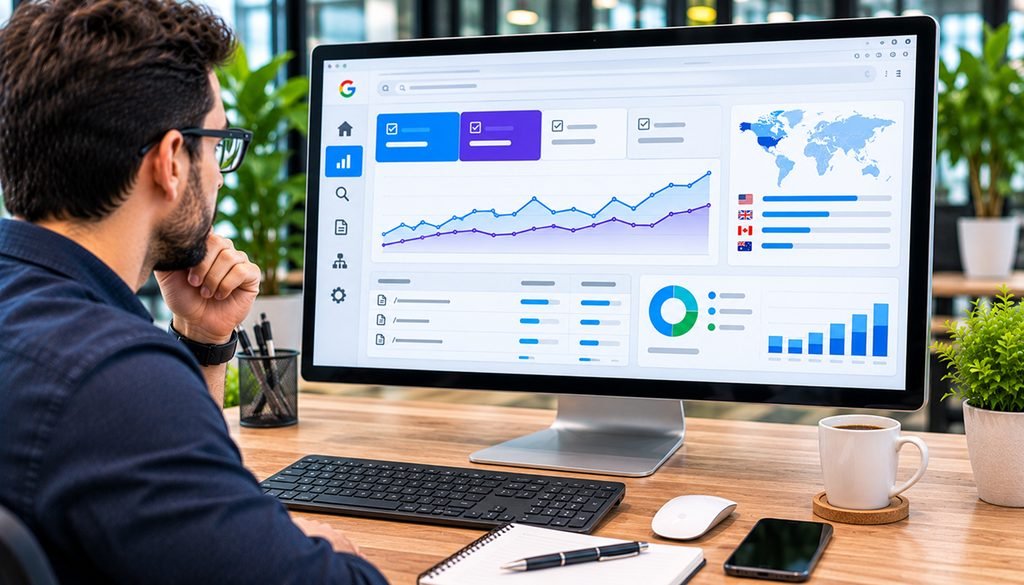
The dedicated generative AI report focuses on impressions.
Traditional Search Console performance reports include clicks, impressions, click-through rate, and average position.
Google currently does not provide a complete, separate AI click attribution breakdown through the dedicated generative AI report.
This means businesses should avoid treating AI impressions as direct website visits.
For example, 1,000 AI impressions do not mean 1,000 people visited your website.
To understand business impact, combine Search Console reporting with website analytics, lead tracking, and conversion data.
This approach helps distinguish search visibility from measurable customer activity.
5. What’s New in November 2026 Search Console Reporting?
On November 16, 2026, Google announced additional capabilities for the Search Analytics API.
The update introduced three important reporting improvements.
Branded Query Reporting: Eligible properties can distinguish searches involving their brand from non-branded searches.
Multimodal Search Reporting: Website owners can analyze supported searches involving images, including Google Lens and Circle to Search.
Multiple Country and Device Filters: Developers can retrieve data across several countries or device types through combined requests.
These improvements help businesses build more detailed search performance reports.
However, the new API capabilities should not be confused with a complete AI-generated click tracking system.
They expand reporting flexibility rather than providing every missing AI attribution metric.
For businesses managing complex websites, experienced web application development can support customized reporting dashboards and integrations.
6. How to Improve Your Website’s AI Search Visibility
There is no guaranteed method for appearing in Google’s AI-generated answers.
However, businesses can improve their websites by following established SEO and content-quality practices.
Publish Helpful, Original Content
Answer real customer questions with accurate explanations, useful examples, and information that demonstrates practical knowledge.
Organize Website Content Clearly
Use descriptive headings, logical page structures, and relevant internal links.
Improve Technical Accessibility
Ensure important pages can be crawled, indexed, and accessed without unnecessary technical barriers.
Maintain Accurate Business Information
Keep services, contact information, product details, and business descriptions consistent.
Improve Website Performance
Provide a responsive mobile experience, readable content, and dependable page loading.
Use Relevant Images and Structured Data
Add descriptive image alt text and appropriate structured data that accurately represents visible content.
Professional WordPress development services can help businesses improve website structure, technical functionality, and content accessibility.
These improvements support overall website quality, even when AI visibility outcomes vary.
7. Common AI SEO Reporting Mistakes
Businesses should avoid drawing conclusions from incomplete data.
Common mistakes include:
- Treating impressions as website visits.
- Assuming every AI mention generates traffic.
- Comparing different date ranges without context.
- Ignoring traditional organic search performance.
- Focusing only on AI visibility while neglecting conversions.
- Assuming missing reports indicate an SEO penalty.
AI search reporting is still developing.
The most useful approach is to monitor trends over time and connect visibility data with measurable business results.
8. AI Search Visibility Audit Checklist
Use this checklist to review your website’s readiness.
| SEO Area | Recommended Action |
| Search Console | Review AI performance reports |
| AI impressions | Monitor visibility trends |
| Page analysis | Identify frequently appearing URLs |
| Countries | Review relevant target markets |
| Mobile performance | Test important pages |
| Content quality | Improve helpfulness and accuracy |
| Internal linking | Connect related pages |
| Technical SEO | Check indexing and accessibility |
| Analytics | Monitor traffic and conversions |
Review results periodically rather than making major decisions based on a few days of data.

Latest Reading: WordPress 7.2 Update 2026
WordPress 7.2 Update 2026: New Features and What Website Owners Should Know
WordPress continues to introduce improvements that affect website editing, performance, accessibility, and technical maintenance.
Our recent guide explores the upcoming WordPress 7.2 features, plugin compatibility considerations, and practical steps businesses should take before upgrading their websites.
9. How Businesses Should Use AI Visibility Data
AI visibility reporting is most useful when connected to business goals.
Start by identifying pages receiving impressions in AI search features.
Review whether those pages address valuable customer questions and support relevant services.
Next, compare AI visibility trends with organic traffic, engagement, enquiries, and sales.
For example, a service article may gain AI impressions without generating immediate leads.
That does not automatically make the content unsuccessful, but businesses should investigate whether it supports awareness, customer education, or conversions.
A balanced strategy measures both visibility and business outcomes.
Frequently Asked Questions
Does Google Search Console show AI Overview impressions?
Yes. Google’s dedicated generative AI performance reports include impressions from supported AI Overviews and AI Mode experiences.
Can I track AI search clicks separately?
The dedicated generative AI report focuses on impressions. It does not currently provide a complete separate breakdown of AI-generated clicks.
Why can’t I see the AI performance report?
Your website may not have received enough impressions in supported AI features. Visibility settings can also affect eligibility.
Are AI impressions the same as website traffic?
No. Impressions measure appearances in supported search experiences, while traffic measures actual website visits.
Can SEO improve AI search visibility?
Good technical SEO, helpful content, clear structure, and accurate information can support eligibility and discoverability, but AI appearances are not guaranteed.
Build a Stronger SEO Strategy for AI Search
Google’s new AI reporting tools give businesses additional insight into how their websites appear across emerging search experiences.
However, AI impressions should be interpreted alongside traditional search performance, website analytics, and customer conversions.
At Thrive Studio Inc., we help businesses improve technical SEO, website performance, content structure, and long-term search visibility.
Whether you want to evaluate AI search visibility or strengthen your existing SEO strategy, our team can help identify practical improvements.
Contact Thrive Studio Inc. to discuss your SEO and website optimization goals.