
WordPress Security in 2026: Why Business Owners Should Pay Attention
Your business website may look perfectly normal while serious security weaknesses exist behind the scenes. An outdated plugin, an unpatched WordPress installation, or an exposed administrator account can create opportunities for attackers without any obvious warning.
In October 2026, WordPress released a security update addressing multiple vulnerabilities, including a flaw affecting the core update process. The issue became especially concerning when the U.S. Cybersecurity and Infrastructure Security Agency (CISA) added it to its Known Exploited Vulnerabilities catalog in early November.
For businesses relying on WordPress to generate leads, process orders, manage bookings, or communicate with customers, these developments are an important reminder: website security requires continuous attention.
This guide explains the latest WordPress security risks, how to identify potential weaknesses, and the practical steps business owners should take to protect their websites.
1. What Happened in the October 2026 WordPress Security Update?
On October 28, 2026, WordPress released version 7.1.4 to address security vulnerabilities.
One significant issue, tracked as CVE-2026-119977, involved a race condition during certain WordPress core updates. Under specific circumstances, attackers could attempt to access temporary installation files during the update process.
Successful exploitation could potentially allow unauthorized code execution on the affected server.
On November 3, 2026, CISA added this vulnerability to its Known Exploited Vulnerabilities catalog, highlighting the importance of applying the available security fixes.
The issue does not mean every WordPress website has been compromised. However, it demonstrates why administrators should verify that security updates have been installed correctly rather than assuming automatic updates have completed.
For businesses using professional WordPress development services, security maintenance should be part of ongoing website management, not something addressed only after an incident.
2. How to Check Whether Your WordPress Website Is Vulnerable
A practical WordPress security audit starts with understanding your website’s current configuration.
Log in to your WordPress dashboard and navigate to Dashboard → Updates. Review the installed WordPress version and any available updates.
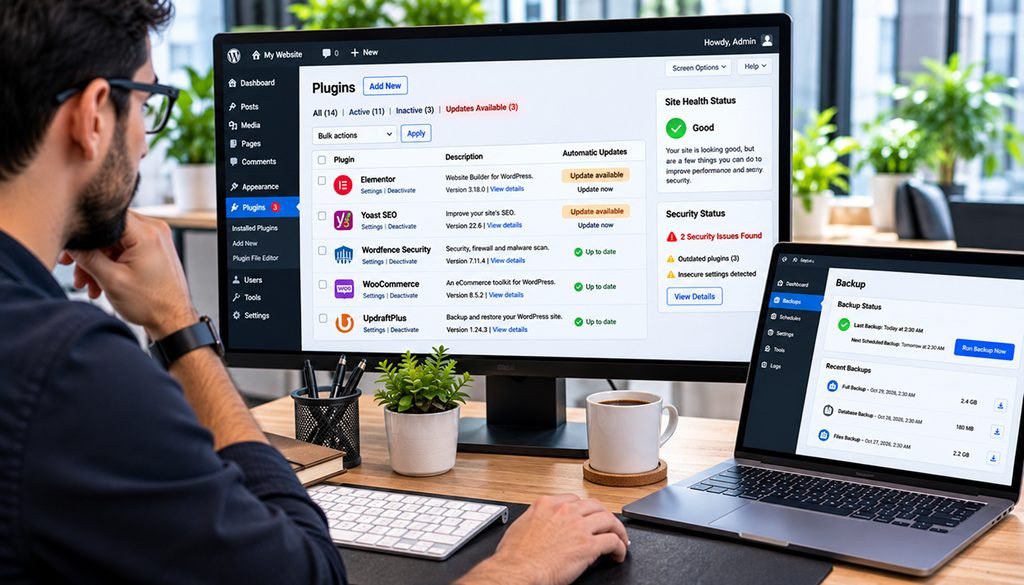
Next, open the Plugins section and check whether active plugins have pending security releases.
Pay particular attention to:
- WordPress core version and security updates.
- Outdated or unsupported plugins.
- Themes that are no longer maintained.
- Unknown administrator accounts.
- Unusual file modifications or unexpected redirects.
- Missing backups and security monitoring.
If your website runs an older WordPress branch, check whether a security backport is available. A patched maintenance release may exist even when the site has not upgraded to the newest major version.
Do not perform major updates without a reliable backup, especially on a live ecommerce or business-critical website.
3. Outdated Plugins Can Create Serious Security Risks
Plugins are among the most useful features of WordPress, but they also expand a website’s potential attack surface.
A business website may depend on plugins for contact forms, payment processing, SEO, page building, analytics, backups, and customer management.
Every additional plugin introduces software that must be maintained.
Common plugin-related risks include vulnerable file uploads, inadequate permission checks, cross-site scripting, and authentication weaknesses.
Businesses should review their installed plugins regularly and remove unnecessary extensions rather than simply deactivating them indefinitely.
Before installing a new plugin, evaluate its maintenance history, compatibility, developer reputation, and security advisories.
For ecommerce businesses, plugin security deserves particular attention because compromised functionality can affect checkout reliability, customer information, and order processing.
Professional WooCommerce development should therefore include compatibility testing, update planning, and protection of business-critical workflows.
4. Why PHP Versions and Hosting Security Matter
WordPress security does not end with WordPress itself.
The underlying hosting environment, PHP runtime, database, web server, and operating system also require maintenance.
An outdated PHP version may no longer receive security support. Similarly, poorly configured hosting environments can expose sensitive files or provide attackers with unnecessary access.
Business owners should ask their hosting provider:
- Is the website running a supported PHP version?
- Are operating system and web server security patches applied?
- Are daily backups available and regularly tested?
- Is a web application firewall enabled?
- Are administrator and server access logs monitored?
PHP upgrades must be tested against existing themes and plugins to avoid unexpected compatibility problems.
Working with experienced PHP development specialists can help businesses plan upgrades while minimizing disruptions to their websites.
5. Seven WordPress Security Measures Every Business Should Implement
Security is most effective when several protective measures work together.
Keep WordPress, Themes, and Plugins Updated
Install security patches promptly after checking compatibility and backup readiness. Enable appropriate update notifications and assign someone responsibility for reviewing them.
Enable Two-Factor Authentication
Require two-factor authentication for administrator accounts and other privileged users. This adds protection even when a password is exposed.
Limit Administrator Permissions
Give team members only the access required for their responsibilities. Remove accounts belonging to former employees, contractors, or unused integrations.
Maintain Reliable Offsite Backups
Schedule automatic backups and store copies outside the website’s hosting environment. Periodically test restoration procedures.
Use a Web Application Firewall
A properly configured firewall can help block malicious requests, automated scanning, and common exploitation attempts.
Monitor Website Activity
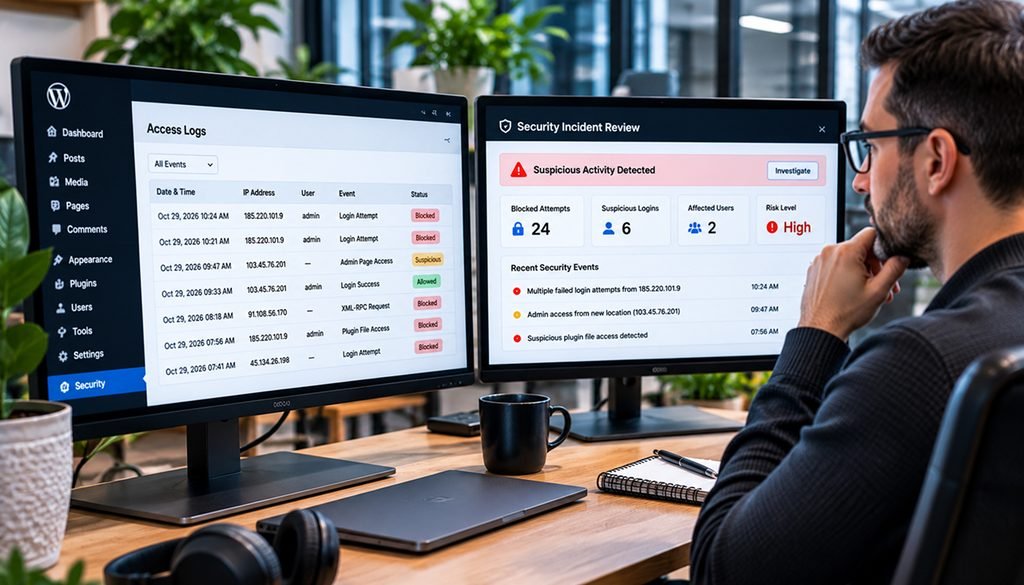
Review login attempts, administrator changes, unexpected plugin installations, and suspicious file modifications. Alerts can help teams identify potential incidents sooner.
Secure Forms and Customer Data
Use appropriate input validation, anti-spam protection, secure transmission, and restricted access to submitted information.
Businesses should also review their CMS development and management practices to ensure security responsibilities are clearly defined.
6. Warning Signs That Your Website May Already Be Compromised
Not every website compromise causes an immediate outage.
Some attackers attempt to remain unnoticed while adding malicious redirects, unauthorized accounts, spam pages, or hidden scripts.
Warning signs may include unexpected administrator users, unfamiliar plugins, unexplained traffic spikes, suspicious redirects, or customers reporting browser security warnings.
Search engines may also identify malicious pages or suspicious website behavior.
However, these symptoms do not automatically prove a compromise. A sudden traffic change, for example, could have several legitimate explanations.
If you suspect unauthorized access, preserve relevant logs and backups, involve your hosting provider or security specialist, and avoid deleting evidence before investigating.
Security incidents can also affect organic visibility when websites become unavailable, redirect visitors, or expose spam content.
Maintaining strong technical SEO practices alongside website security monitoring helps businesses identify and address problems affecting both users and search engines.
7. WordPress Security Readiness Scorecard for 2026
Use this simple checklist to evaluate your current website security practices.
| Security Check | Recommended Status |
| WordPress core | Security patches installed |
| Plugins and themes | Updated and actively maintained |
| PHP version | Supported and patched |
| Administrator accounts | Reviewed and restricted |
| Two-factor authentication | Enabled for privileged users |
| Website backups | Automated and restoration-tested |
| Firewall protection | Configured and monitored |
| Security monitoring | Active with alerting |
| Incident response plan | Documented and accessible |
| Website recovery process | Tested periodically |
A website meeting every item is not guaranteed to be secure, but these measures establish a stronger foundation for preventing and responding to common threats.
If several checks remain incomplete, prioritize known exploited vulnerabilities, exposed administrator access, and missing recovery capabilities.
Latest Reading: AI Agent-Ready WordPress Forms
Can AI Agents Use Your WordPress Contact Forms? A 2026 Readiness Test
Website security and AI accessibility are becoming closely connected as businesses prepare their websites for more automated interactions.
Our latest WordPress guide explores form accessibility, validation, submission security, and practical readiness testing for AI-driven interactions.
8. What to Do If Your WordPress Website Has a Security Problem
When a security issue is discovered, the response should be organized rather than rushed.
First, determine whether the issue is an available security update, suspicious activity, or a confirmed compromise.
For routine updates, create a backup, apply the vendor-supported fix, and verify that the website continues working correctly.
For suspected compromises, involve qualified security personnel, preserve logs, and coordinate with the hosting provider before making potentially destructive changes.
If customer information may have been exposed, assess applicable notification and privacy obligations.
After containment, review the original cause, rotate affected credentials, restore trusted files where necessary, and improve monitoring.
The objective is not simply to make the website appear normal again. It is to understand what happened and reduce the chance of recurrence.
9. Why Professional WordPress Maintenance Is a Business Investment
Many companies invest heavily in website design, advertising, and search visibility while overlooking ongoing technical maintenance.
However, an insecure website can interrupt enquiries, affect customer trust, and create unexpected recovery expenses.
Professional WordPress maintenance helps businesses establish consistent processes for security updates, plugin reviews, backups, monitoring, and compatibility testing.
It also creates clearer accountability when an issue requires urgent attention.
For growing businesses, maintaining a secure website is part of protecting digital operations, not merely an IT housekeeping task.
Frequently Asked Questions
Is WordPress safe to use in 2026?
Yes. WordPress can be used securely when its core software, plugins, themes, hosting environment, and administrator access are properly maintained. Security depends heavily on configuration and ongoing management.
How do I know whether my WordPress website has been hacked?
Look for unfamiliar administrator accounts, unexpected redirects, suspicious files, unauthorized changes, or security alerts. A professional investigation may be required to confirm a compromise.
Should I update WordPress immediately?
Known exploited vulnerabilities should be prioritized. Before updating a business-critical website, confirm backup availability and follow the vendor’s recommended patching procedure.
Can outdated WordPress plugins affect SEO?
Yes. Vulnerable plugins can contribute to malicious redirects, spam content, downtime, or other problems that may harm user experience and organic search performance.
How often should a WordPress website receive a security audit?
Businesses should monitor updates continuously and perform periodic security reviews based on website complexity and risk. Ecommerce and other business-critical websites generally need more frequent oversight.
Protect Your Business Website Before Security Problems Escalate
WordPress security in 2026 requires more than occasional plugin updates. Businesses need a consistent approach to patch management, secure hosting, administrator access, backups, and incident response.
The recent WordPress core security advisory highlights how quickly new vulnerabilities can become an operational concern.
Thrive Studio Inc. helps businesses build, maintain, and improve WordPress websites with a focus on dependable functionality, performance, and long-term technical stability.
Whether you need a website review, WordPress development support, or help planning technical improvements, our team can help you identify the next steps.
Contact Thrive Studio Inc. to discuss your website’s security and maintenance needs.